

Zemers Product
Monetize your expertise through your own scaling system
Without technical chaos, improvisations, or programming skills.
Most creators don’t have a sales problem, but an infrastructure problem: they use separate tools for presenting offers, processing payments, and providing access to their valuable products and information.
And when something doesn’t work, they waste time trying to fix the connections between them.
Zemers provides the online infrastructure for your business, where you can present, sell, and deliver your digital products and services without relying on a makeshift architecture.
Connect Stripe. Create the product and its presentation. Start getting paid.
Fragmentation doesn’t help you grow your business revenue
If you have a landing page on one platform, a checkout on another… courses in another system… email marketing and analytics in different accounts.
This model is not sustainable in the long term.
With every new tool, operational complexity increases and your control decreases. When infrastructure is fragmented, growth becomes fragile.

This is a product review
Display as many reviews as you want
And place them anywhere on the product page
This is a product review
Display as many reviews as you want
And place them anywhere on the product page
This is a product review
Display as many reviews as you want
And place them anywhere on the product page
With Zemers you benefit from an integrated ecosystem
In Zemers, the product, presentation, payment, and delivery are part of the same system.
You create your product, set the payment model (free, one-time payment, subscription, or installments), and choose the access rules. The client completes the order in a secure checkout, and access is managed automatically.
There are no manual processes.
There are no platform syncs.
There are no hidden dependencies.
Zemers is the delivery, sales, and presentation infrastructure that keeps everything together.
You build. The system runs continuously and generates results—even while you sleep.
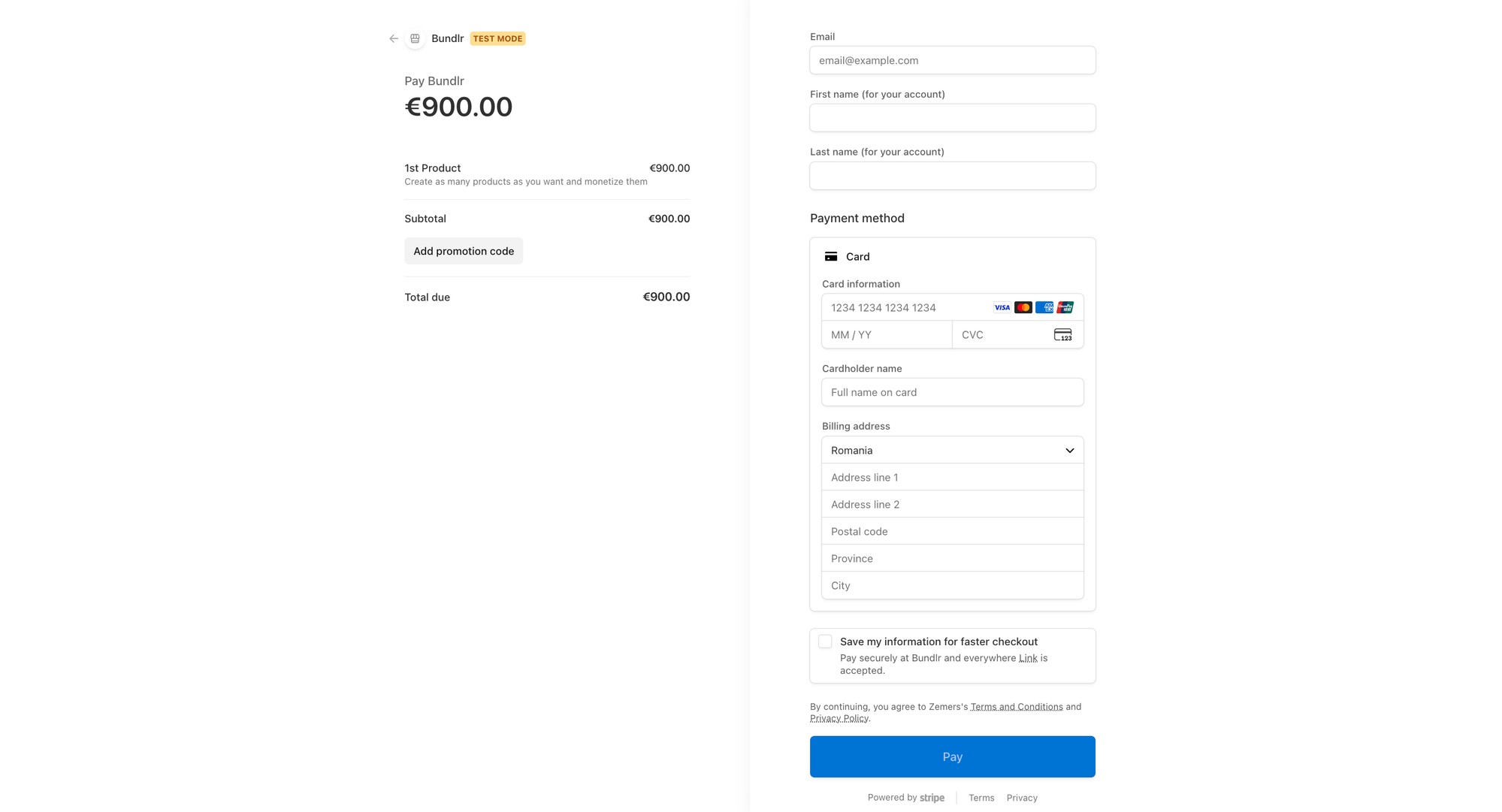
Independence starts with controlling your infrastructure
When you sell through marketplaces or platforms that “own” your audience, the relationship with the client doesn’t fully belong to you. Data is limited. Rules can change unilaterally.
A policy update or an account restriction can directly affect your revenue.
Autonomy means something different:
– payments go directly into your Stripe account
– you own your client data
– you set the access rules and pricing
– the infrastructure remains stable, regardless of algorithms
Zemers is not a marketplace that controls your audience. It is the infrastructure through which you operate your own system.
How does it work?
A simple system built for efficiency:
Create the product and attach the relevant apps (courses, articles, services).
Configure the presentation and pricing options.
Connect Stripe and activate sales.
From that moment, payment, account creation, and access are handled automatically.
You maintain full control and access to your client data, including client management.
What can you monetize with Zemers?
Any knowledge or expertise can become a scalable product.
In Zemers you can create and offer access to:
– online courses with public or private access
– premium content through subscriptions
– services and online sessions
– resources or communities
You’re not selling isolated files. You’re building an organized and professional delivery system.


Growth comes from systems, not complexity
You can activate affiliate programs and set commissions for your products.
You can implement upsells and cross-sells in the purchase process.
You can launch marketing campaigns with discounts, free trials, or access limitations.
All of this without rebuilding funnels or adding other applications.
And even more than that, you can embed all of this into your own website.
Zemers is not just another tool
It is the infrastructure through which you operate your digital business.
✅ Cohesive design aligned with your brand.
✅ Secure checkout.
✅ Automated delivery.
✅ Control over your data and policies.
Your business shouldn’t depend on technical skills
You don’t install plugins.
You don’t run manual updates.
You don’t repeatedly connect APIs.
You focus on expertise and strategy. The system handles the operational side.
👌 You eliminate stress and hours lost on maintenance, fixing errors, or other technical issues.
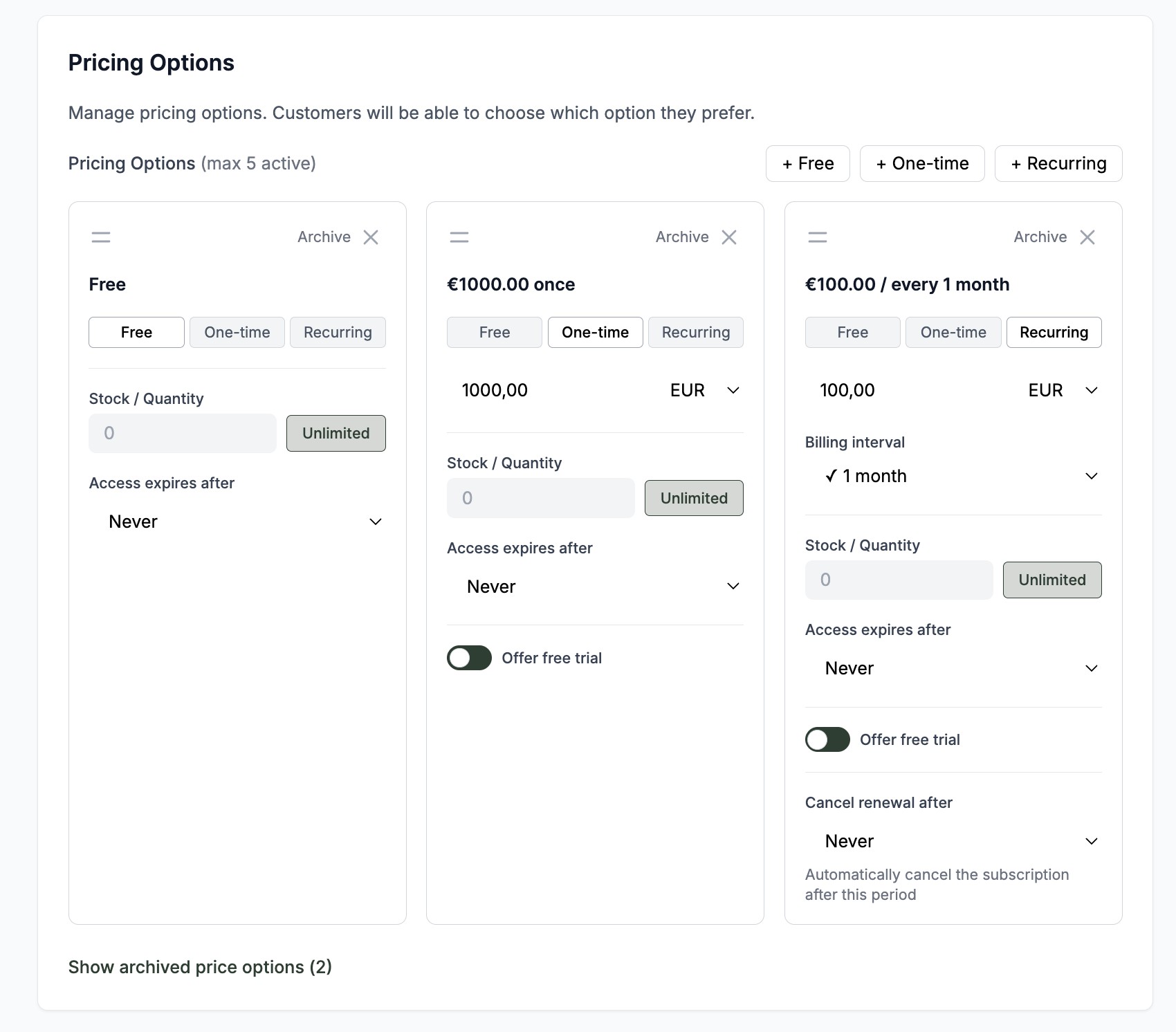
Build once. Scale predictably
Your expertise deserves a stable infrastructure.
You organize it once.
You turn it into a clear product.
You place it into a system that works.
From there, the process becomes repeatable.
❌ No technology limitations.
❌ No rebuilding for every launch.
❌ No improvisations.
❌ No operational chaos.
👉 Create your free account on Zemers, connect Stripe, and publish your first product. From there, the process becomes repeatable.
Created by




Affiliates
Earn money by bringing customers to Zemers. Every time a customer purchases using your link, you'll earn a commission.