
Copy one address
Open your Zemers settings and copy the connection address waiting for you there. That is the only thing you need.

Connect your Zemers workspace to ChatGPT or Claude. Ask for a product, a promotion, or a clearer picture of your business in your own words.
No card requiredSee it in action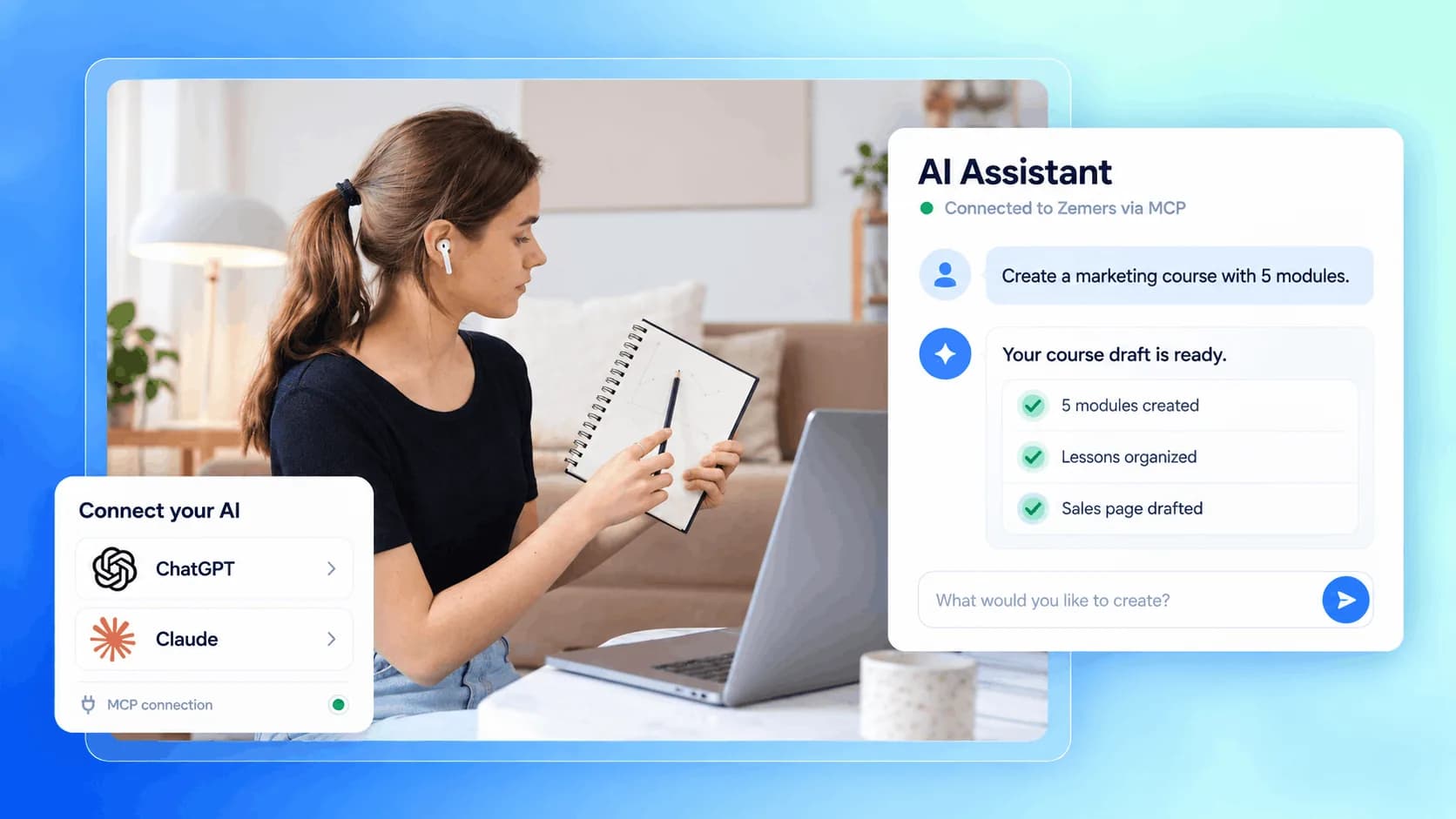
Explore a few things you can ask. Your workspace, one conversation closer.
Create a Brand Audit product for €149.
Turn an idea into an offer you can review and refine.
Illustrative example. Your content, your brand, your setup.
See how to connectThe practical tools that help you turn this part of your business into one connected customer experience.
Open your Zemers settings and copy the connection address waiting for you there. That is the only thing you need.
Add it as a new connection in your AI app. Zemers even gives you a ready-made prompt, so the assistant can walk you through the setup itself.
You sign in on the Zemers page, pick your workspace, and click Allow. No password is ever shared with the AI.
From that moment your assistant works inside your store. Write what you want in plain words and watch it happen.
The product, the price, and a full sales page appear in your store, ready for you to review.
A discount campaign is set up with the right products, the right window, and no codes to hand out.
The whole structure is created for you, so all that is left is your content.
A straight answer from your real numbers, without opening a single report.

Website builder

Build offers people can buy
Learn more
Visual drag-and-drop editor
Learn more
Your branded store
Learn more
Identity & look
Learn more
Your own domain
Learn more
Accept secure payments
Learn more
Manual discount codes
Learn more
Automatic timed discounts
Learn more
Structured learning
Learn more
Public articles & insights
Learn more
Bookings & scheduling
Learn more
Branded member community
Learn more
Community access
Learn more
Standalone custom pages
Learn more
Embed any web page
Learn more
Automatic & content emails
Learn more
Visible bar messages
Learn more
Conversion overlays
Learn more
Modern discovery layer
Learn more
Pixels & ad data
Learn more
Store performance
Learn more
Leads, access, subs
Learn more
Roles & collaborators
Learn more
Terms & privacy pages
Learn more
Run Zemers by chat
Learn moreNo. MCP is just the name of the secure connection between Zemers and your AI app. You copy one address from your Zemers settings, paste it into ChatGPT or Claude, and approve the connection once. From that point you only write normal sentences, the same way you already talk to the AI.
Connect Zemers to ChatGPT or Claude. Ask your assistant to help manage products, promotions, and business insights.


