
Community layer
Connect your Discord server and give customers a place to learn, talk, ask, and stay close to your brand.

Connect your Discord server, choose the roles, and link access to your offers. Welcome buyers into the conversations they came for.
No card requiredSee it in action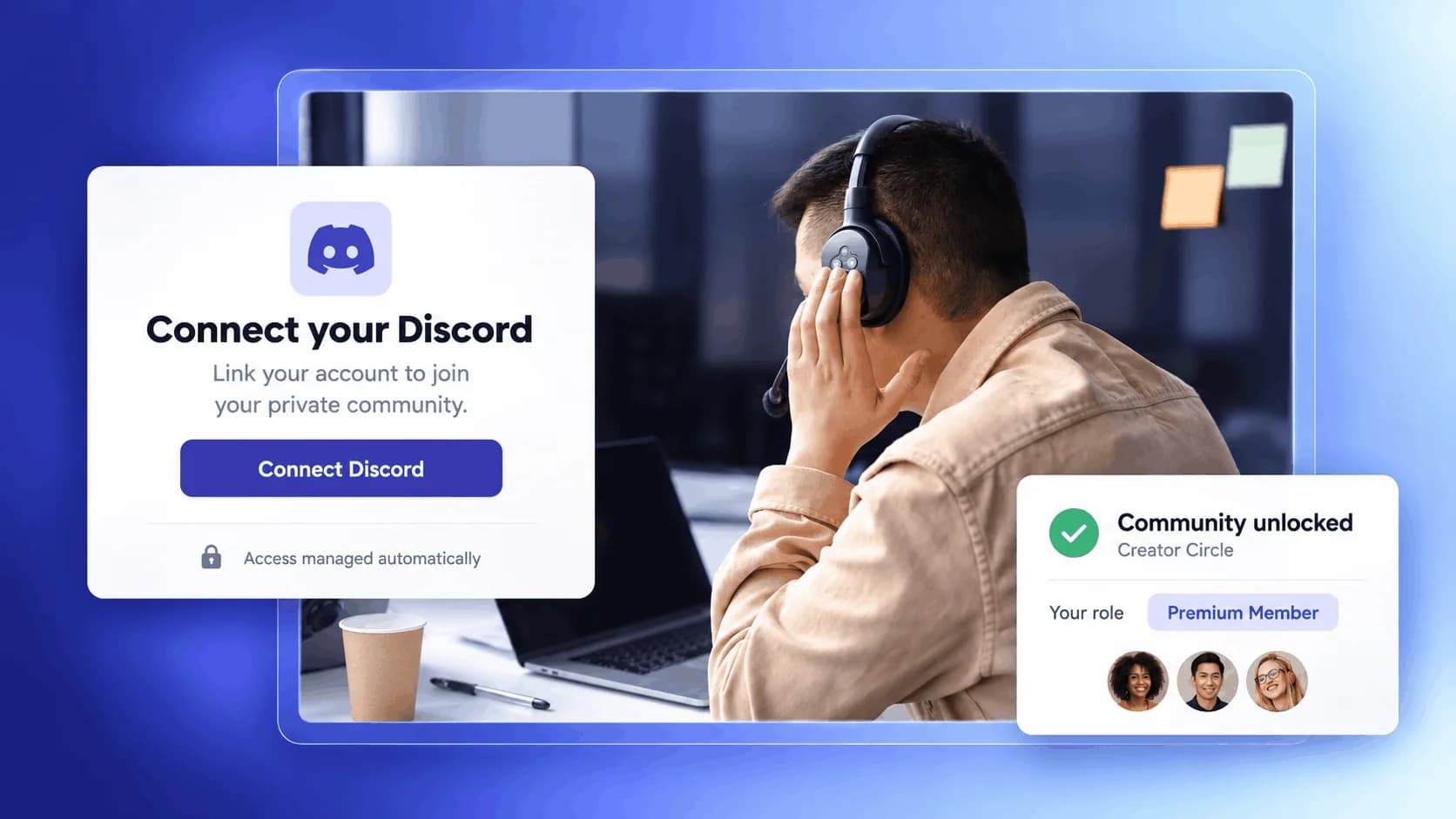
Give each offer its own role. Keep your community access connected.
A purchase opens the right conversations.
Give active members a role that opens your private community.
Illustrative example. Your content, your brand, your setup.
The practical tools that help you turn this part of your business into one connected customer experience.
Connect your Discord server and give customers a place to learn, talk, ask, and stay close to your brand.
Choose the roles members receive when they get access to a product, membership, or paid offer.
When someone buys or loses access, Zemers updates their Discord role automatically.
Sell access to a private Discord community and give members the right role after purchase.
Give course students a private space to ask questions, share progress, and stay engaged.
Run time-based programs with a dedicated Discord role for each cohort or group.
Create a private support area where customers can ask questions and get help after buying.

Website builder
Build offers people can buy
Learn more
Visual drag-and-drop editor
Learn more
Your branded store
Learn more
Identity & look
Learn more
Your own domain
Learn more
Accept secure payments
Learn more
Manual discount codes
Learn more
Automatic timed discounts
Learn more
Structured learning
Learn more
Public articles & insights
Learn more
Bookings & scheduling
Learn more
Branded member community
Learn more
Community access
Learn more
Standalone custom pages
Learn more
Embed any web page
Learn more
Automatic & content emails
Learn more
Visible bar messages
Learn more
Conversion overlays
Learn more
Modern discovery layer
Learn more
Pixels & ad data
Learn more
Store performance
Learn more
Leads, access, subs
Learn more
Roles & collaborators
Learn more
Terms & privacy pages
Learn more
Run Zemers by chat
Learn moreNot exactly. A normal invite gives people access manually. The Zemers Discord App connects access to your products, so roles can be granted and removed automatically when access changes.
Link your Discord server to your products. Give customers the member roles and community access included in their purchase.


