
Design
Start from a preset, choose light or dark mode, and customize the colors that shape your public pages.

Find your colors, choose your type, and shape the details. Carry your identity from your storefront to the content your customers open.
No card requiredSee it in action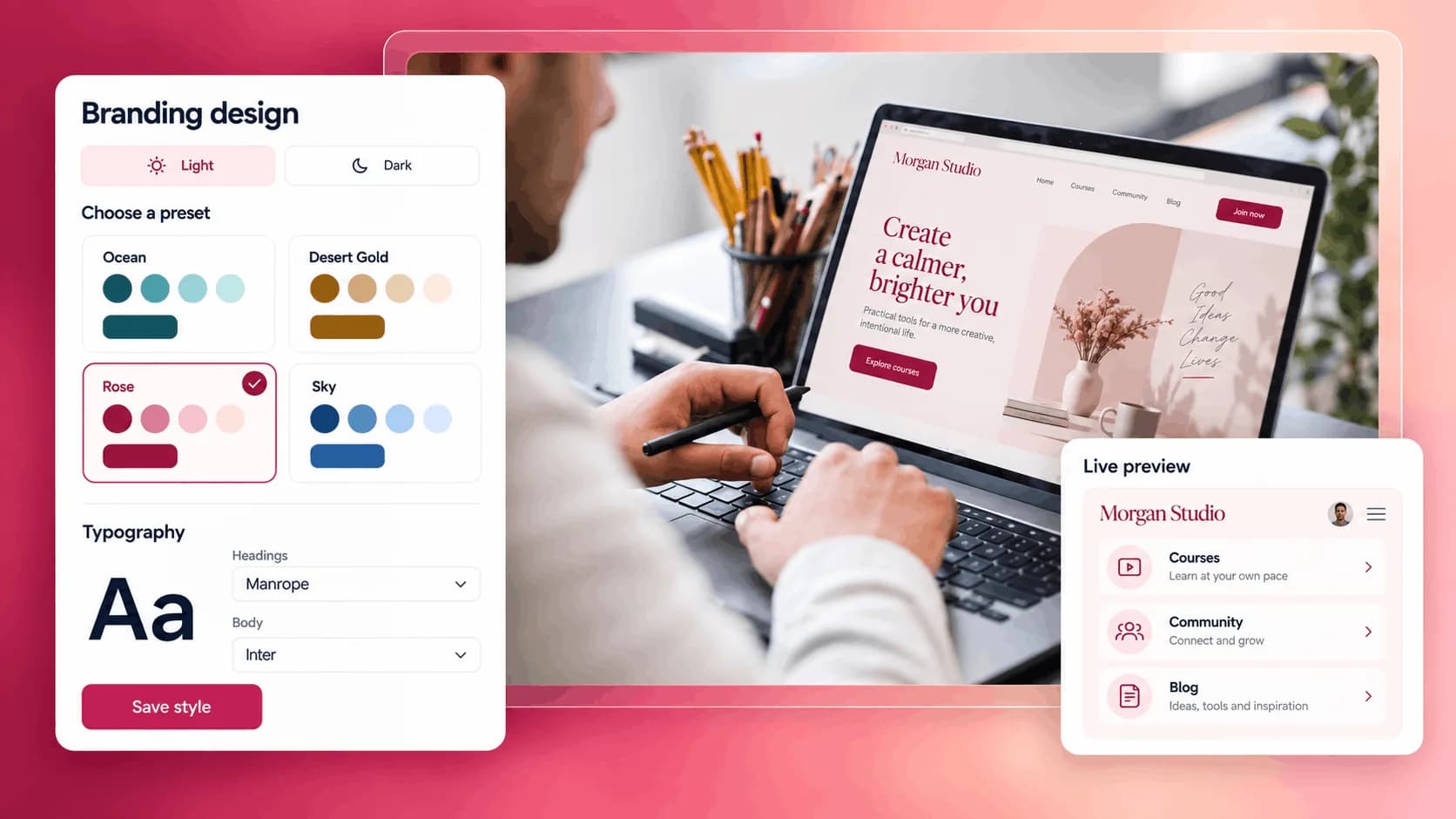
Try three visual directions. Watch your brand come together.
Thoughtful resources for a more creative everyday.
Explore the course
Soft colors, thoughtful typography, and room to breathe.
Illustrative example. Your content, your brand, your setup.
The practical tools that help you turn this part of your business into one connected customer experience.
Start from a preset, choose light or dark mode, and customize the colors that shape your public pages.
Control your heading fonts, body text, and font size hierarchy for both desktop and mobile.
Choose how images, cards, and buttons feel, so your storefront and product pages match your visual identity.
Make your link-in-bio page feel like your own public hub, not another generic platform profile.
Present your offers with colors, typography, buttons, and cards that match the value of what you sell.
Keep your blog posts, articles, courses, and public content pages visually aligned with your brand.
Control the way your brand feels on the device most customers use first: their phone.

Website builder

Build offers people can buy
Learn more
Visual drag-and-drop editor
Learn more
Your branded store
Learn more
Identity & look
Learn more
Your own domain
Learn more
Accept secure payments
Learn more
Manual discount codes
Learn more
Automatic timed discounts
Learn more
Structured learning
Learn more
Public articles & insights
Learn more
Bookings & scheduling
Learn more
Branded member community
Learn more
Community access
Learn more
Standalone custom pages
Learn more
Embed any web page
Learn more
Automatic & content emails
Learn more
Visible bar messages
Learn more
Conversion overlays
Learn more
Modern discovery layer
Learn more
Pixels & ad data
Learn more
Store performance
Learn more
Leads, access, subs
Learn more
Roles & collaborators
Learn more
Terms & privacy pages
Learn more
Run Zemers by chat
Learn moreYes. You can customize the design used across your customer-facing Zemers pages, including storefront, product pages, blog pages, articles, courses, and other public content pages.
Choose your colors, fonts, and page styles. Give customers a familiar look as they explore your store and content.


