
Customers
View names, emails, purchased products, access status, active subscriptions, and transaction history from one central list.

Bring purchases, access, and subscriptions into one customer view. Find the context you need to help someone take their next step.
No card requiredSee it in action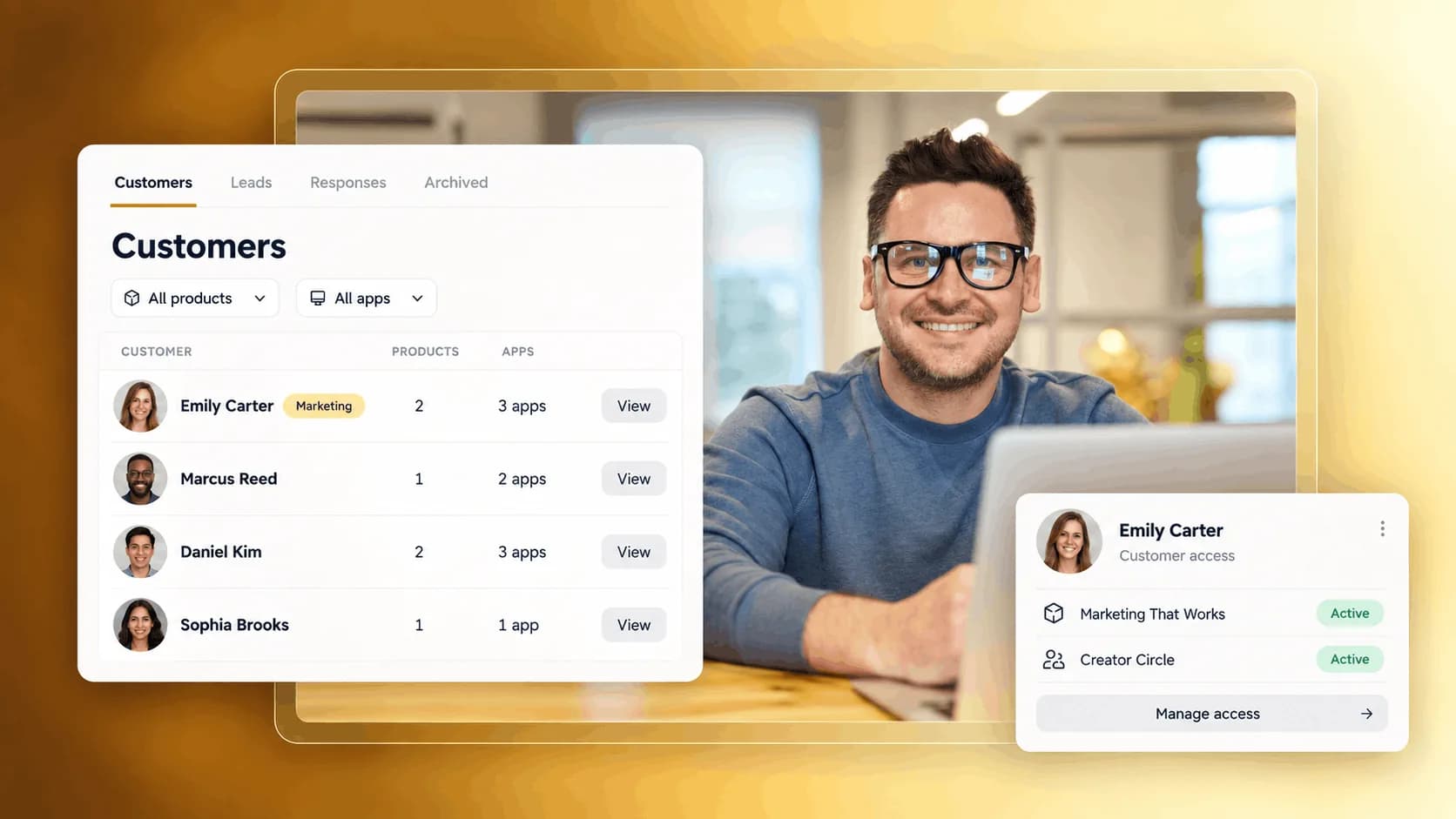
From their first purchase to the content they come back for.
See the offers a customer has bought before you reply or follow up.
Illustrative example. Your content, your brand, your setup.
The practical tools that help you turn this part of your business into one connected customer experience.
View names, emails, purchased products, access status, active subscriptions, and transaction history from one central list.
Grant or revoke product access manually, manage waitlist approvals, and control who receives access without needing a new payment.
View subscription status, billing amount, start date, expiry date, and cancel renewals when needed.
Find a customer by name or email, check what they bought, and understand their access status before replying.
Manually grant or revoke access to products, apps, courses, private content, or customer resources.
Cancel renewals, review subscription details, and keep access aligned with each customer’s billing status.
Export your customer list or use the Zemers API to move customer data into CRMs, email marketing platforms, or other business tools.

Website builder
Build offers people can buy
Learn more
Visual drag-and-drop editor
Learn more
Your branded store
Learn more
Identity & look
Learn more
Your own domain
Learn more
Accept secure payments
Learn more
Manual discount codes
Learn more
Automatic timed discounts
Learn more
Structured learning
Learn more
Public articles & insights
Learn more
Bookings & scheduling
Learn more
Branded member community
Learn more
Community access
Learn more
Standalone custom pages
Learn more
Embed any web page
Learn more
Automatic & content emails
Learn more
Visible bar messages
Learn more
Conversion overlays
Learn more
Modern discovery layer
Learn more
Pixels & ad data
Learn more
Store performance
Learn more
Leads, access, subs
Learn more
Roles & collaborators
Learn more
Terms & privacy pages
Learn more
Run Zemers by chat
Learn moreYou can see each customer’s name, email address, purchased products or access status, active subscriptions, subscription status, and transaction history.
See purchases, subscriptions, and access in one customer view. Keep the details you need close when someone needs your help.


