
Pixels
Add Meta Pixel, TikTok Pixel, X/Twitter Pixel, or Google Analytics 4 by pasting the pixel ID into your Zemers tracking settings.
Connect your tracking platforms and measure key storefront events. Understand the actions that lead people from curiosity to checkout.
No card requiredSee it in action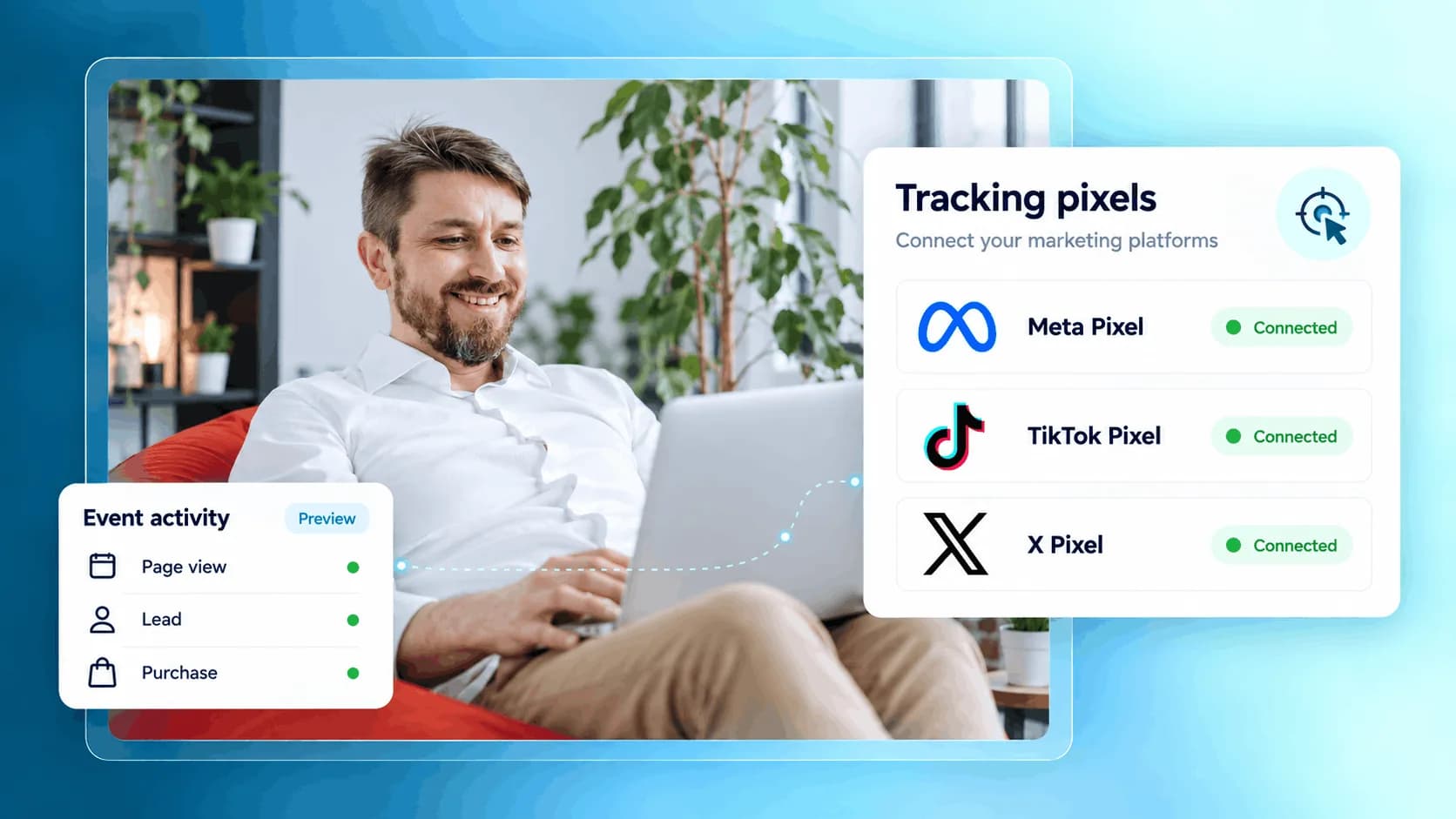
Follow a visitor’s journey. See the signals along the way.
A content view helps you understand which products attract attention.
Illustrative example. Your content, your brand, your setup.
The practical tools that help you turn this part of your business into one connected customer experience.
Add Meta Pixel, TikTok Pixel, X/Twitter Pixel, or Google Analytics 4 by pasting the pixel ID into your Zemers tracking settings.
Track standard storefront events like PageView, ViewContent, InitiateCheckout, and Purchase after visitors accept marketing cookies.
Send better signals to your ad platforms so you can measure results, retarget visitors, and improve campaign performance.
See when people view content, start checkout, and complete purchases through your Zemers storefront.
Build audiences of people who visited your store, viewed products, or started checkout but did not buy.
Give platforms like Meta and TikTok more useful event data so campaigns can optimize toward real actions.
Understand what happens before the sale, not only after revenue appears in your dashboard.

Website builder

Build offers people can buy
Learn more
Visual drag-and-drop editor
Learn more
Your branded store
Learn more
Identity & look
Learn more
Your own domain
Learn more
Accept secure payments
Learn more
Manual discount codes
Learn more
Automatic timed discounts
Learn more
Structured learning
Learn more
Public articles & insights
Learn more
Bookings & scheduling
Learn more
Branded member community
Learn more
Community access
Learn more
Standalone custom pages
Learn more
Embed any web page
Learn more
Automatic & content emails
Learn more
Visible bar messages
Learn more
Conversion overlays
Learn more
Modern discovery layer
Learn more
Pixels & ad data
Learn more
Store performance
Learn more
Leads, access, subs
Learn more
Roles & collaborators
Learn more
Terms & privacy pages
Learn more
Run Zemers by chat
Learn moreTracking lets you connect your Zemers store to advertising and analytics platforms so you can measure conversions, retarget visitors, and understand how people interact with your public storefront.
Connect your analytics and advertising platforms to key storefront events. Give your marketing decisions more context.


