

Trigger
Choose a page pop-up that appears after the page loads, or an exit-intent pop-up that appears when a desktop visitor is about to leave.
Give visitors a timely invitation to explore an offer or discover a resource. Shape the message, the trigger, and where it appears.
No card requiredSee it in action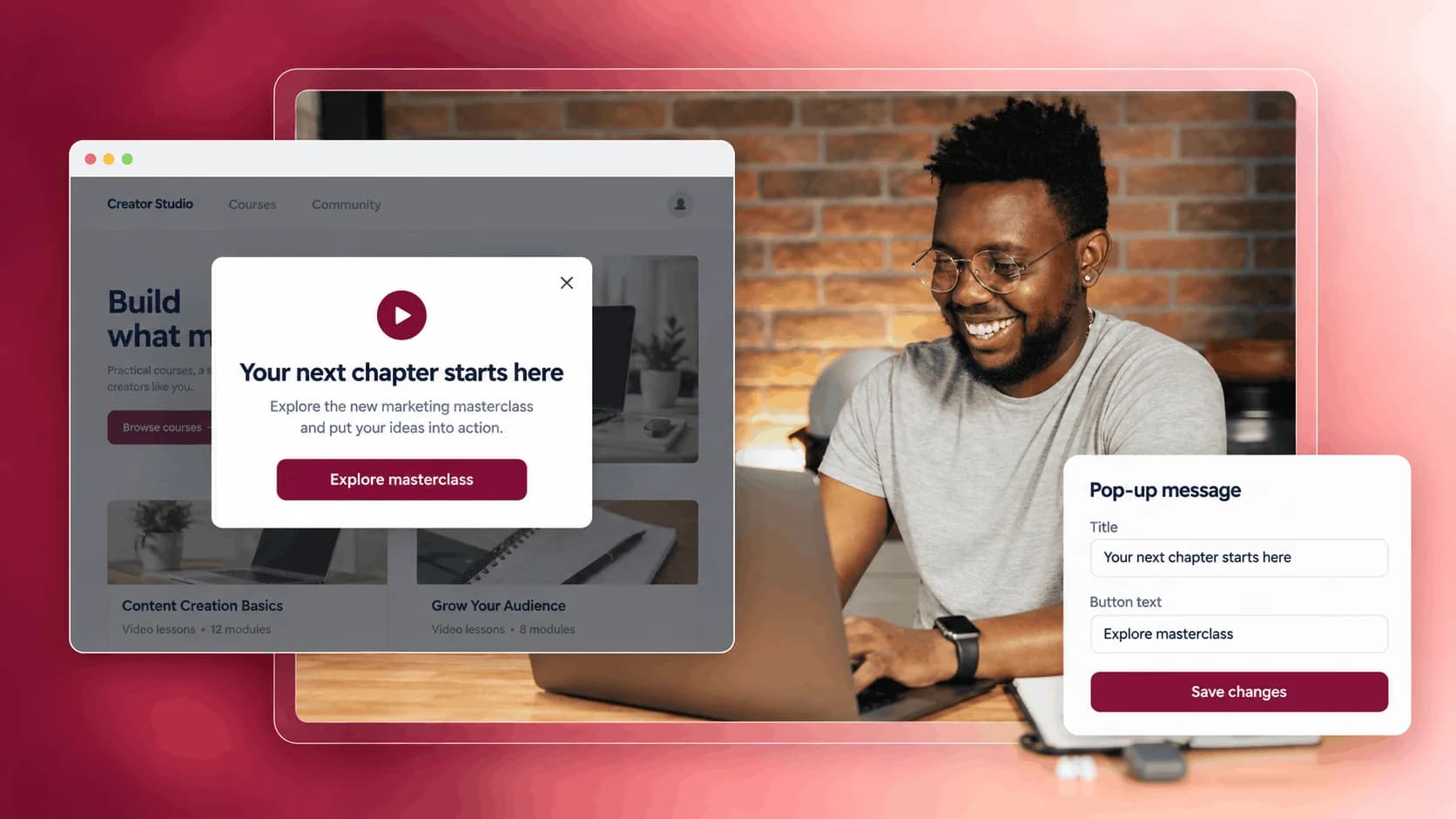
Meet visitors with a message that belongs to the moment.
A small invitation from Sunday Studio.
Explore the free guideIntroduce a useful free resource after the page loads.
Illustrative example. Your content, your brand, your setup.
The practical tools that help you turn this part of your business into one connected customer experience.
Choose a page pop-up that appears after the page loads, or an exit-intent pop-up that appears when a desktop visitor is about to leave.
Write your message with rich text, add a CTA button, and send visitors to the right product, page, or link.
Show the pop-up across your storefront or restrict it to specific products, apps, blog articles, or course lessons.
Show a pop-up on a product page to highlight a discount, bonus, deadline, or reason to buy now.
Display a message when a desktop visitor is about to leave, so you can give them one more reason to stay or take action.
Promote a new course, membership, product, or private resource directly on the pages your audience already visits.
Show a targeted pop-up on blog articles or course pages that sends visitors toward the next product, resource, or offer.

Website builder

Build offers people can buy
Learn more
Visual drag-and-drop editor
Learn more
Your branded store
Learn more
Identity & look
Learn more
Your own domain
Learn more
Accept secure payments
Learn more
Manual discount codes
Learn more
Automatic timed discounts
Learn more
Structured learning
Learn more
Public articles & insights
Learn more
Bookings & scheduling
Learn more
Branded member community
Learn more
Community access
Learn more
Standalone custom pages
Learn more
Embed any web page
Learn more
Automatic & content emails
Learn more
Visible bar messages
Learn more
Conversion overlays
Learn more
Modern discovery layer
Learn more
Pixels & ad data
Learn more
Store performance
Learn more
Leads, access, subs
Learn more
Roles & collaborators
Learn more
Terms & privacy pages
Learn more
Run Zemers by chat
Learn moreA conversion pop-up is a modal overlay that appears on your store pages and can be used to promote offers, collect attention, or drive visitors toward a specific action.
Create a focused invitation to explore an offer or resource. Choose where your pop-up appears and what triggers it.


